
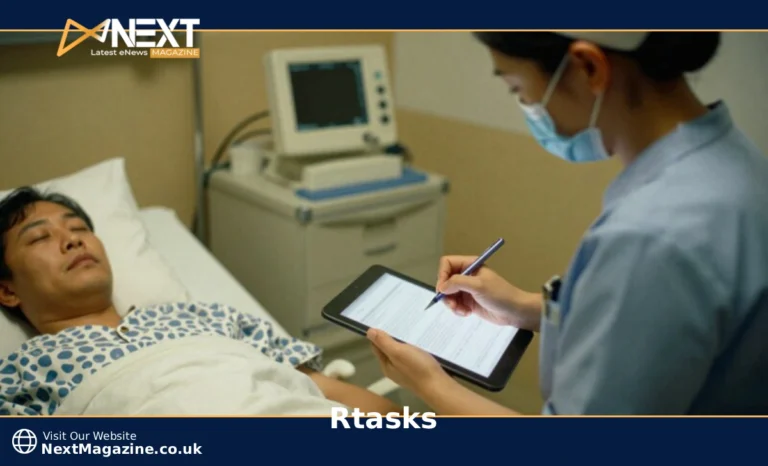
RTasks is a web-based electronic health record system designed for assisted living and long-term care facilities. The platform automates care documentation, medication tracking, and task scheduling while integrating with existing EHR systems to reduce manual data entry and improve compliance.
Assisted living facilities face a constant challenge: balancing quality resident care with accurate documentation. Paper charts slow you down. Multiple systems create data entry nightmares. Staff spend more time on paperwork than with residents.
RTasks addresses these problems directly. The software consolidates care documentation, medication records, and task management into one accessible platform. Your team can document care from any device, work offline when needed, and sync automatically when connectivity returns.
What RTasks Does for Assisted Living Facilities
RTasks functions as a complete electronic health record solution built specifically for assisted living environments. The system serves three primary user groups: direct care staff who document daily activities, nurses who manage medications and health assessments, and administrators who track compliance and facility operations.
The platform differs from general task management tools by focusing exclusively on healthcare workflows. Every feature addresses a specific assisted living need, from barcode medication verification to state-mandated incident reporting.
Direct care staff use RTasks to log resident activities, meals, vital signs, and behavioral observations. Nurses access medication administration records, care plans, and clinical assessments. Administrators review compliance reports, staff productivity metrics, and quality measures.
The software eliminates duplicate data entry by connecting all these functions. When a nurse updates a resident’s medication list, that change appears automatically on the medication administration record, care plan, and allergy alerts.
Core RTasks Features That Matter Most
RTasks centers on six essential capabilities that transform daily workflows in care facilities.
The electronic medication administration record (eMAR) includes barcode scanning technology. Staff scan resident wristbands and medication packages before administration. The system alerts staff to potential allergies, drug interactions, or incorrect dosages in real time. This verification process reduces medication errors significantly compared to manual paper systems.
Task scheduling assigns daily care activities to specific staff members based on resident routines and care plans. The system tracks completion status, sends reminders for upcoming tasks, and flags missed activities. Administrators can review completion rates by shift, staff member, or care category.
Incident reporting captures falls, medication errors, behavioral issues, and other events requiring documentation. The system guides staff through required fields, attaches photos when relevant, and tracks follow-up actions until resolution. Reports flow automatically to supervisors and state portals when required.
Mobile offline access allows documentation in areas without internet connectivity. Staff complete their work normally, and data syncs automatically when devices reconnect. This proves essential in facilities with unreliable WiFi or when working in resident rooms with poor signal.
Voice-to-text documentation converts spoken notes into text records. During busy shifts, caregivers can verbally describe observations while assisting residents. The system uses natural language processing to create readable documentation from conversational speech.
Real-time alerts notify staff of critical situations. The system sends push notifications for missed medications, overdue vital signs, approaching deadlines, or unusual resident patterns. Alert priority levels ensure urgent issues get immediate attention while routine reminders don’t overwhelm staff.
How RTasks Integrates with Your Current Systems
RTasks connects with major electronic health record platforms used in long-term care, including PointClickCare, MatrixCare, and Allscripts. These integrations eliminate the need to maintain resident information in multiple systems.
Data syncing occurs automatically at scheduled intervals, typically every 15 to 30 minutes. The system transfers resident demographics, admission and discharge dates, medication orders, care plan updates, and physician orders between platforms.
When a physician enters a new medication order in your primary EHR, that order appears in RTasks within minutes. Staff can then document administration without re-entering medication details. The documentation flows back to the EHR, creating a complete medication history in both systems.
Integration setup requires coordination between RTasks support and your IT team or EHR vendor. The process involves configuring data mapping, setting sync schedules, establishing security protocols, and testing data transfer accuracy. Most facilities complete integration in two to four weeks.
Not all data transfers automatically. Custom care plan elements, facility-specific forms, and historical documentation may require manual migration. RTasks support can advise on which information transfers seamlessly and which elements need alternative handling.
RTasks Login and Security Features
RTasks implements multiple security layers to protect resident health information and maintain HIPAA compliance.
Multi-factor authentication requires staff to verify their identity through two methods: something they know (password) and something they have (mobile device verification code or fingerprint). Facilities can enable facial recognition on mobile devices as an additional option.
Role-based access controls limit what each staff member can view and edit based on their position. Direct care staff might access daily documentation and task lists, but not financial information or quality reports. Nurses can manage medications and assessments. Administrators see facility-wide data and compliance metrics.
Session timeout settings automatically log users out after a specified period of inactivity. This prevents unauthorized access when staff walk away from shared tablets or workstations. Facilities can adjust timeout periods based on their security policies.
Mobile device security includes encryption for data stored locally on tablets and phones. If a device is lost or stolen, facility administrators can remotely wipe RTasks data without affecting other applications on the device.
The system maintains detailed audit logs tracking who accessed which resident records, when, and what changes they made. These logs support compliance investigations and help identify unauthorized access attempts.
Mobile vs Desktop Experience
RTasks offers full functionality on both mobile and desktop platforms, with some workflow differences worth understanding.
The mobile app excels for point-of-care documentation. Caregivers carry tablets or phones into resident rooms, document activities immediately, and scan medications at bedside. The interface simplifies to essential fields on smaller screens, reducing clutter and speeding up common tasks.
Offline functionality only works on mobile devices. Staff can complete documentation in WiFi dead zones or during internet outages. The app stores data locally and syncs automatically when connectivity returns. Desktop users require constant internet access.
A desktop provides advantages for administrative work and detailed documentation. The larger screen accommodates multiple windows, making it easier to review resident histories while writing care plans or comparing data across multiple residents. Report generation and data analysis work better on a desktop.
Feature parity remains nearly complete between platforms. The main exceptions are barcode scanning (mobile only) and advanced reporting (desktop optimized). Voice-to-text works on both but performs better on mobile devices with superior microphones.
Sync happens continuously when devices have internet access. A nurse might update a care plan on a desktop, and that change appears on caregiver tablets within seconds. The system prevents conflicting edits by locking records when someone is actively editing them.
Getting Started with RTasks
Implementation follows a structured process designed to minimize disruption to daily operations.
Initial setup typically takes four to six weeks from contract signing to full operation. Week one covers system configuration: adding your facility information, creating user accounts, and establishing security settings. Week two involves data migration: transferring current resident information, care plans, and medication lists into RTasks.
Staff training occurs in weeks three and four. RTasks provides role-specific training sessions: two hours for direct care staff, four hours for nurses, and six hours for administrators. Training happens in small groups, allowing staff to practice with sample data before working with real resident information.
The platform includes interactive tutorials and help documentation accessible within the system. Staff can reference these resources whenever they encounter unfamiliar features.
Start with three features for immediate impact: basic task documentation, medication administration records, and incident reporting. These core functions deliver quick wins by reducing paperwork and improving accuracy. Add advanced features like custom reports and integration after staff become comfortable with the basics.
Data migration requires the clean-up of your current information. Review resident records for accuracy, standardize medication names, and verify care plan currency before transfer. RTasks support can provide templates and tools to streamline this process.
RTasks Pricing and Plans
RTasks offers three pricing tiers based on facility size and feature needs.
The Essential plan costs $14 per user per month and includes core documentation, basic reporting, and mobile access. This plan suits smaller facilities focused on replacing paper systems with digital documentation.
The Professional plan runs $19 per user per month and adds route optimization for care staff, white-label email notifications, and enhanced reporting capabilities. Mid-sized facilities that need workflow optimization typically choose this tier.
The Enterprise plan uses custom pricing for facilities with over 30 users. This tier includes all Professional features plus dedicated support, advanced analytics, custom integrations, and priority feature requests. Large facilities or those with complex needs benefit most from Enterprise.
All plans include a 14-day free trial with full feature access. This trial period allows you to test the system with real workflows before committing. RTasks doesn’t require credit card information to start the trial.
The per-user pricing means costs scale with your facility size. A 50-bed facility with 25 staff members would pay $350 to $475 monthly for the Essential or Professional plan. Enterprise pricing varies based on specific requirements.
Training, implementation support, and standard customer service are included with all plans. You won’t face additional charges for onboarding or routine technical assistance.
Common Challenges and Solutions
Four challenges appear frequently during RTasks implementation, each with proven solutions.
Connectivity issues affect facilities with spotty internet or WiFi dead zones. The solution involves the strategic use of mobile offline mode in problem areas. Identify rooms or floors with poor connectivity and assign mobile devices to staff working those areas. Document offline and let the system sync when staff move to areas with stronger signals.
Staff adoption resistance emerges when team members feel comfortable with current processes. Address this by highlighting specific pain points RTasks solves. Show direct care staff how voice-to-text reduces documentation time. Demonstrate to nurses how barcode scanning prevents medication errors. Focus on benefits relevant to each role rather than forcing change.
Data migration complications arise when current information exists in inconsistent formats. Clean your data before migration. Standardize medication names, verify resident information accuracy, and archive outdated records. RTasks support can review your data and identify potential issues before transfer begins.
Integration troubleshooting may be needed when data doesn’t sync correctly between RTasks and your EHR. Work with both RTasks support and your EHR vendor to verify field mapping accuracy. Test with a small sample of residents before enabling facility-wide integration. Document exactly which data elements should transfer and verify each one.
When RTasks Makes Sense for Your Facility
RTasks align more closely with specific facility profiles than others.
Ideal candidates include assisted living facilities with 20 to 200 beds currently using paper documentation or outdated software. You’ll benefit most if your staff complains about duplicate data entry, your state requires electronic quality reporting, or your facility struggles with medication error rates.
Current workflow indicators that suggest RTasks would be beneficial include staff spending more than 30 minutes per shift on documentation, medication errors occurring monthly, incident reports taking days to complete, or compliance audits revealing documentation gaps.
Budget considerations extend beyond software costs. Factor in staff time for training, potential overtime during transition, and any hardware purchases if you need new tablets. However, most facilities reduce overall costs within six months through improved efficiency and reduced errors.
Consider alternatives if your facility has fewer than 15 beds (where simpler tools might suffice), uses highly specialized care protocols not supported by RTasks, or operates with extremely limited technology infrastructure. Home care agencies should look at ShiftCare instead, as RTasks focuses specifically on facility-based care.
RTasks represents the middle ground: more sophisticated than basic task apps, less complex than hospital-grade EHR systems. That positioning serves assisted living facilities well, providing needed functionality without overwhelming staff with unnecessary features.
