

Table of Contents
- Why Does Google Matter Here? (And Why Many Instafest Articles Fail to Rank)
- How Instafest Works: The Technical Side Explained Simply
- Step-by-Step: How to Create Your Instafest Poster
- Understanding the Three Time Range Options
- Last 4 Weeks
- Last 6 Months
- All Time
- Practical Tips to Get the Best Results
- Instafest vs. Other Spotify Visualisation Apps
- Common Problems and How to Fix Them
- Is Instafest Safe to Use?
- Conclusion
- FAQs
- Does Instafest work without a Spotify Premium subscription?
- Can I use Instafest more than once?
- Why does my poster look different from my friend’s, even though we listen to similar music?
- How many artists appear on an Instafest poster?
- Is there an app version for iOS or Android?
- Why does my “Last 4 Weeks” poster look completely different from my “All Time” poster?
- Can I customise the poster design — colours, fonts, layout?
- What if I share my Spotify account with someone else?
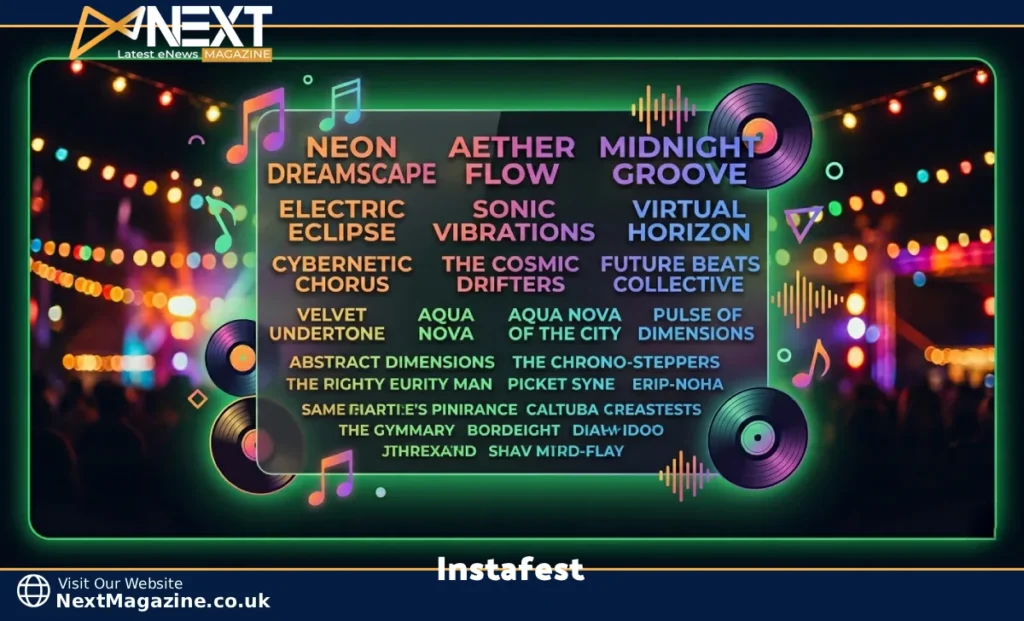
Instafest is a free web app that reads your Spotify listening history and builds a personalised music festival poster around it. Your most-played artists get arranged into a Coachella-style lineup — headliners at the top, supporting acts below — based entirely on your actual plays during whatever time window you choose.
The app was built by Anshay Saboo, a University of Southern California student, and launched in 2022. It went viral almost immediately because it solved a simple problem: Spotify Wrapped only comes once a year, but people want to talk about their music taste year-round. Instafest fills that gap with something visually compelling enough to actually share.
If you’ve ever seen someone post what looks like a music festival announcement on Instagram, but the lineup is entirely artists like Mitski, Bladee, and Frank Ocean — that’s Instafest.
Why Does Google Matter Here? (And Why Many Instafest Articles Fail to Rank)
Before getting into the how-to, it’s worth understanding what makes search engines overlook articles on this topic. Most existing guides are thin — they describe the app in 300 words and move on. Google’s Helpful Content system rewards pages that genuinely answer every question a reader could have, covering depth, accuracy, and practical value. This guide is built to meet that standard.
How Instafest Works: The Technical Side Explained Simply
Instafest connects to Spotify through the platform’s official API (Application Programming Interface). When you authorise it, the app receives read-only access to your listening history. It counts total play instances per artist — so an artist you played 400 times ranks higher than one you played 40 times, even if you “like” the second one more consciously.
The app then sorts artists into tiers:
- Headliner — your single most-played artist
- Co-headliners — your second and third top artists
- Supporting acts — mid-tier plays
- Opener tier — artists who appear regularly but not dominantly
This hierarchy mirrors how real festival posters work, which is why the output feels authentic rather than like a basic chart.
On privacy: Instafest requests temporary API access. It does not store your Spotify password, does not sell your data to third parties, and access can be revoked at any time through Spotify’s Connected Apps settings. The app only sees what Spotify’s API permits — your top artists and listening history, not payment details or private account information.
Step-by-Step: How to Create Your Instafest Poster
The whole process takes under two minutes.
Step 1: Go to the Instafest website. Search “Instafest app” or navigate directly. The homepage shows example posters and a single call-to-action button.
Step 2: Log in with Spotify. A Spotify authorisation window opens. You’ll see exactly what permissions are being requested. Click “Agree” to proceed — or close it if you’re not comfortable. You don’t need a premium Spotify subscription.
Step 3: Choose your time range. Three options are available (covered in detail below). Your choice here is the single biggest factor in what your poster looks like.
Step 4: Let it generate. Processing takes a few seconds. The app pulls your data, ranks your artists, and builds the poster layout automatically.
Step 5: Save or share. Use the download button for a high-resolution image file. If that button misbehaves in your browser, right-click the poster and select “Save Image As.” You can also screenshot it directly.
Understanding the Three Time Range Options
This is where most guides are vague. Here’s what each option actually shows and when to use it.
Last 4 Weeks
This captures whatever you’ve been playing heavily right now. If you discovered a new artist two weeks ago and put them on repeat, they could rank as your headliner. The four-week poster is the most volatile — it changes fast and reflects your current mood rather than your broader identity.
Best for: Sharing a “what I’m into right now” moment, capturing a season’s sound, or showing off a recent discovery.
Example: Someone going through a breakup who has been playing Phoebe Bridgers on loop for three weeks will see her as their headliner here — even if they barely listened to her before.
Last 6 Months
This is the most balanced option and the one most users find most representative. It’s long enough to filter out one-week obsessions, short enough to reflect real current taste rather than music you loved three years ago.
Best for: A general-purpose “this is my taste” poster. Most shareable for social media.
Example: If you went through a jazz phase in spring and are back to hip-hop in summer, both genres will show up here, giving you a more varied lineup.
All Time
This uses your entire Spotify history, potentially going back years. Artists who defined your earlier years will compete with current favourites. Your all-time poster is the most stable but can feel outdated if your taste has shifted significantly.
Best for: Seeing who your true musical constants are. Nostalgic sharing. Comparing with long-term friends.
Example: Someone who discovered Spotify in 2016 and played Arctic Monkeys obsessively will still see them near the top of an all-time poster in 2024, even if they rarely listen to them now.
Practical Tips to Get the Best Results
Match the time range to your intention. If you want the poster to represent who you are musically, use six months. If you want to capture a specific season or chapter of your life, use the shortest range.
Play your favourites deliberately before generating. Since the app counts total plays, running through an album twice before generating will push that artist up. Some people do this to curate their results — it’s not cheating, it’s just using the app intentionally.
Generate across all three time ranges and compare. The differences can be revealing. Artists who appear on all three are your true constants. Artists who only appear in the last four weeks are in the current phase. This comparison tells you more about your listening patterns than any single poster.
Use it as a music discovery tool. Look at the artists in your middle and lower tiers — the ones ranked 10th through 25th. You clearly enjoy them enough to have played them frequently, but they’re probably not getting as much active attention. Check their recent releases or lesser-known albums.
Turn it into a recommendation exchange. Post your poster and ask friends to share theirs. When you find overlap in someone’s top five, ask them about artists on their poster that aren’t on yours. Compatibility in your top artists is a strong signal that you’ll enjoy each other’s other recommendations.
For readers who want to go further in exploring niche and emerging artists beyond their Spotify bubble, resources like Jernsenger cover music scenes and artists worth knowing about.
Instafest vs. Other Spotify Visualisation Apps
Several tools do similar things with Spotify data. Here’s how they compare honestly.
| App | Output Format | Data Depth | Best Use Case |
|---|---|---|---|
| Instafest | Festival poster | Basic (top artists) | Social sharing |
| Receiptify | Store receipt style list | Basic (top tracks) | Quick snapshot |
| Spotistats | Statistical dashboard | Extensive | Deep analysis |
| Stats.fm | Charts and trend graphs | Extensive | Long-term tracking |
| Obscurify | Taste profile + obscurity score | Medium | Discovering how “mainstream” you are |
Choose Instafest when you want something visually striking to post or share. The festival poster format communicates personality in a way a list or graph can’t.
Choose Spotistats or Stats.FM, when you want to understand your listening habits in detail — genre breakdowns, listening time, how your taste has changed over the years.
Choose Receiptify for a quick, clean list format that works well in text-heavy contexts.
Common Problems and How to Fix Them
The site won’t load or keeps showing errors. Instafest experiences traffic spikes whenever Spotify Wrapped season arrives (usually late November). Wait 10–15 minutes and try again. Clearing your browser cache often helps.
Artists you listen to constantly aren’t on your poster. The poster typically shows your top 20–40 artists. If someone you play regularly isn’t appearing, they simply haven’t accumulated enough plays compared to your other favourites. Try the “All Time” range, which pulls from a larger dataset and may surface them.
The Spotify authorisation window isn’t opening. Your browser may be blocking pop-ups. Check the address bar for a blocked pop-up notification and allow it for the Instafest domain. Also, ensure you’re using the login method that matches your Spotify account — if you signed up for Spotify via Facebook or Google, use that same method.
The download button doesn’t work. Right-click the poster image directly and choose “Save Image As.” Alternatively, take a screenshot. Some browsers (particularly older versions of Safari) block automatic file downloads from third-party sites.
You use Apple Music instead of Spotify. Instafest was built specifically for Spotify’s API and has no Apple Music support. There’s no workaround. Apple Music users can look into Music Year in Review or Snd. wave for partial alternatives, though neither replicates the exact festival poster format.
Is Instafest Safe to Use?
This is one of the most common questions, and the answer is yes — with context.
Instafest uses Spotify’s official OAuth authorisation system, which means you never hand your password to a third party. You’re granting the app permission through Spotify’s own infrastructure, and that permission can be revoked at any time.
The app requests read-only access. It cannot modify your playlists, follow artists on your behalf, or alter your account in any way.
The creator has publicly stated that no user data is sold or shared with third parties. The app generates your poster, and that’s the extent of what it does with your information.
If you want to be thorough: after generating your poster, go to Spotify → Settings → Apps → Connected Apps and remove Instafest’s access. Your poster is already downloaded; the connection is no longer needed.
Conclusion
Instafest is a well-built, privacy-respecting tool that does one specific thing very well: it takes your Spotify listening data and turns it into something genuinely shareable. The festival poster format works because it communicates taste quickly, looks impressive, and invites comparison.
The app is most useful as a conversation starter and a personal audit. Whether you’re surprised by who ranks at the top, pleased to confirm your headliner, or amused by an artist you forgot you’d played 200 times — the poster tells you something honest about how you actually spend your listening time, not just who you think you listen to most.
Generate one across all three time ranges. Compare them. Share them. And use the lower tiers as a personal recommendation queue.
FAQs
Does Instafest work without a Spotify Premium subscription?
Yes. The app works with any Spotify account, free or paid. Premium is not required.
Can I use Instafest more than once?
Yes. You can generate a new poster any time you want. Many users generate one every few months to track how their taste changes.
Why does my poster look different from my friend’s, even though we listen to similar music?
Even small differences in listening frequency will change rankings significantly. You might both love the same five artists, but if you’ve played one of them 300 more times than your friend has, your poster will look different.
How many artists appear on an Instafest poster?
Typically between 20 and 40, depending on the diversity of your listening history. If you listen to a wide range of artists, you’ll see more names. If you concentrate heavily on a few, the poster will have fewer entries.
Is there an app version for iOS or Android?
Instafest is a web app, accessed through a browser on any device. There is no dedicated iOS or Android app to download.
Why does my “Last 4 Weeks” poster look completely different from my “All Time” poster?
This is normal and actually informative. It means your current listening habits have shifted from your historical patterns. The two posters together tell you something meaningful about where your taste has moved.
Can I customise the poster design — colours, fonts, layout?
Instafest offers a small number of visual themes or style options on the results page. You can’t fully customise the layout, but you can choose between a few preset aesthetic variations.
What if I share my Spotify account with someone else?
The poster will reflect the combined listening history on that account, not just yours. For accurate individual results, use your own account.

Rosie Turner
Rosie is nosy in the best way — she loves other people's stories almost more than her own. She writes personal essays about the awkward, in-between moments of change that everyone goes through but nobody posts about. Expect messy honesty, the occasional plot twist, and very few neatly wrapped conclusions.
View all articles →Get the Weekly Brief
The best guides and stories, delivered every Sunday.