
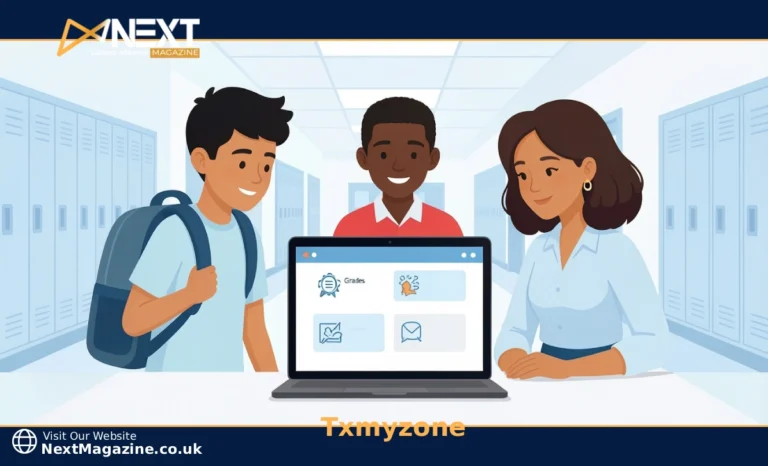
Txmyzone is a school management portal used by Texas districts to bring student grades, attendance, assignments, and communication into one secure place. Each user, whether a student, parent, teacher, or administrator, logs in and sees only what is relevant to their role.
It is not a single-purpose grading app or a messaging tool. It is a full academic portal that connects everyone involved in a student’s education, in real time, without the back-and-forth of paper notes or email chains.
What Is Txmyzone and Why Do Schools Use It
If your child came home and said, “You have to sign up for Txmyzone,” you are not alone in wondering what that even means. It is a question a lot of Texas parents and new teachers are asking right now.
Txmyzone is an online school portal that puts grades, attendance, assignments, schedules, and school communication in one place. Each person, whether a student, parent, teacher, or admin, gets their own login and sees a dashboard built around their role. A student sees upcoming deadlines. A parent sees attendance records. A teacher manages submissions. An admin tracks school-wide patterns.
The reason Texas schools use it comes down to something practical. Managing all of this through emails, paper handouts, and phone calls wastes time and creates gaps. Things get missed. Txmyzone reduces that by centralizing the information everyone already needs.
How Txmyzone Works for Students
For students, the Txmyzone school portal removes a lot of the guesswork. You log in and see your grades as they are posted, your upcoming assignments, and any messages from teachers. There is no waiting until report card day to find out how you are doing.
That visibility matters more than it sounds. When students can see their progress clearly, they tend to take more ownership of it. If a grade slips, they can spot it early and act on it instead of finding out too late to do anything.
The mobile experience is worth mentioning here because most students are not logging in from a desktop. Txmyzone works on phones, though speed and layout can vary depending on your device and connection. If pages feel slow, try a Wi-Fi connection before assuming something is broken.
What Txmyzone Offers Parents
Txmyzone for parents is probably the most practical part of the whole system. You can check your child’s attendance the same day it is recorded, not at the end of the month when a notice arrives in the mail.
Real-time grade tracking means you can catch a slipping grade before it becomes a bigger problem. One parent put it simply: “I can check in without calling the school every week.” That is exactly what the portal is built for.
You can also message teachers directly through the platform. It saves you the time of hunting down an email address or waiting for a callback. For busy households, that kind of direct access makes a real difference.
How Txmyzone Helps Teachers
Teachers spend a large part of their day on tasks that have nothing to do with actual teaching. Taking attendance, entering grades, collecting assignments, and sending parent updates all add up over a week. Txmyzone pulls those tasks into one place and makes them faster to complete.
Attendance is logged in a few clicks. Grades update as you enter them. Parents see the changes without you needing to send a separate message. That kind of streamlining does not transform your entire day overnight, but it removes small friction points that pile up.
One honest note: if your school’s setup or training was rushed, the first few weeks can feel like more work, not less. The tool works best when staff have had time to learn it properly. If that did not happen at your school, ask for a refresher session. It is worth it.
What Administrators Get from Txmyzone
For school administrators, the value is in the data. You get a view across the whole school, not just one classroom. Attendance monitoring, grade trends, and communication logs are all visible from the admin dashboard.
That kind of visibility helps you act earlier. If attendance is dipping in a specific grade or subject, you can respond before it turns into a larger issue. You are not waiting for an end-of-semester report to notice that something went wrong.
Better data also helps with compliance and resource planning. When records are accurate and centralized, reports take less time to produce and are less likely to contain errors. Over time, that saves administrative hours that can go toward other priorities.
How to Log Into Txmyzone
Most login issues come from one thing: not receiving credentials in the first place. Schools typically issue usernames and passwords through the front office or via an enrollment email. If you never received yours, that is your first stop.
Here is how to get started:
- Contact your school’s front office and ask for your Txmyzone login credentials.
- Visit the Txmyzone login page and enter your username and password exactly as provided.
- If you are on a phone, bookmark the login page so you do not have to search for it each time.
- Turn on notifications if the option is available so you get alerts for new grades or messages.
If you log in and the layout looks different from what someone described to you, do not worry. Some districts customize the interface, so your version may vary slightly. The core features remain the same.
Is Txmyzone Secure
Security is a fair concern when a platform holds your child’s academic records and personal information. Txmyzone uses role-based access, which means each user only sees what they are meant to see. A student cannot view another student’s grades, and a parent only accesses their own child’s data.
Schools using Txmyzone are also expected to follow FERPA, the federal law that protects student education records. That means the school, not just the platform, is responsible for how your child’s information is used and who can access it.
If you want specifics, ask your school’s administration directly. They should be able to tell you what data is collected, how it is stored, and who has access. Any school serious about privacy should welcome that question without hesitation.
When It Does Not Work Perfectly
No platform is perfect, and it is worth being realistic about this. If your school’s internet goes down, access to Txmyzone goes with it. Teachers who rely on it for attendance or grading will need a backup plan, and not every school has one ready. It is a real gap worth raising with your tech team.
Some users also find that the mobile experience can be inconsistent. Pages may load slowly on older phones or weak connections. If that happens regularly, it is a practical issue to flag with your school rather than something you just accept.
There is also the adoption issue. Txmyzone works best when everyone uses it consistently. If one teacher updates grades daily and another updates once a month, the experience feels uneven for parents and students trying to stay informed. That inconsistency is not a flaw in the platform itself, but it is something to expect if your school is just getting started.
FAQs
What is Txmyzone, and why is my Texas school using it?
Txmyzone is an academic management portal that schools use to organize grades, attendance, assignments, and communication in one place. Texas districts use it to reduce the constant back-and-forth between parents, teachers, and the front office.
How do I log into Txmyzone if I never got login details?
Contact your school’s front office. They issue credentials either directly or through an enrollment email. Your Txmyzone login will include a username and password specific to your role, whether you are a student, parent, or staff member.
Can parents and students really see grades and attendance the same day?
Yes. Real-time grade tracking and attendance monitoring update as teachers enter information. There is no delay on the parent or student side once the teacher has submitted the data.
Is Txmyzone secure, and what happens if the internet goes down?
The platform uses role-based access, and schools are required to follow FERPA guidelines for student data. If the internet goes down, access is unavailable until it is restored. Schools should have offline backup procedures in place for critical tasks like attendance.
