
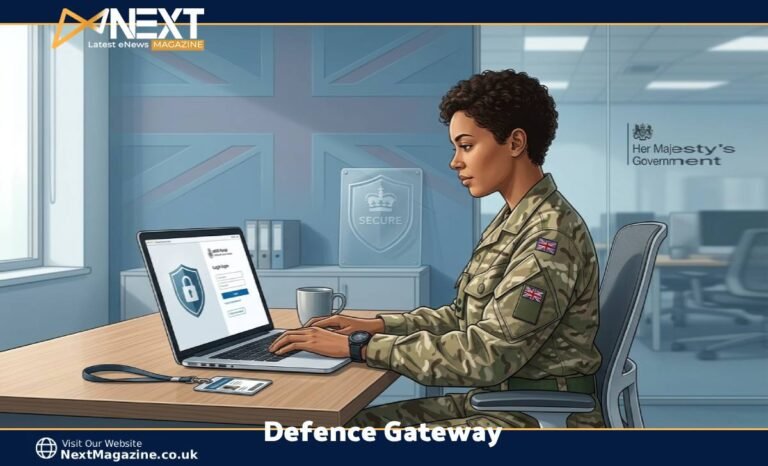
Let’s be straight about something: military admin portals don’t have the best reputation. But if you’re serving, in the reserves, or you’ve recently joined the MOD as a civil servant, you’ve almost certainly come across the term Defence Gateway by now.
At its core, it’s the UK Ministry of Defence’s secure digital front door — a single sign-on point that lets you reach dozens of different Defence systems from one place. We’re talking email, payslips, HR tools, training platforms, welfare resources, and more. All without needing a government-issued device or a desk on base.
Think of it less like a single app and more like a secure gateway that, once you’re through, opens up everything else. When it works well — and it usually does — it saves hours. When it doesn’t, you’ll understand why “Defence IT” gets the reputation it does.
But here’s the thing: once you understand what it actually does and how to set it up properly, most of the frustration disappears. Let’s walk through it properly.
What You Can Actually Do Inside the Defence Gateway
Most people assume it’s just for checking leave balances or downloading payslips. That undersells it quite a bit.
Here’s what you’ll realistically use it for:
- Payslips and tax details — No more waiting for physical copies to arrive (or get lost).
- HR admin and JPA access — Joint Personnel Administration runs through here, covering everything from personal records to service history.
- Defence learning and e-learning platforms — Mandatory training, leadership modules, and career development courses.
- File sharing and team collaboration — Useful when your team is spread across locations or you’re working remotely.
- Welfare and family support links — Health, housing, and wellbeing resources are tucked in there too.
- Admin requests — Depending on your unit, leave forms, travel claims, and expenses may all run through the Gateway.
In practice, a reservist at home might log in to complete a mandatory training course or check their JPA record before drill weekend. A deployed civil servant might access shared documents or raise an HR query. A contractor waiting on sponsored access might be checking whether their registration has been approved.
The MOD has been moving more services into the Gateway steadily, and the range keeps growing. It’s genuinely useful — even if the menu system takes some getting used to.
Who Can Use the Defence Gateway in 2026?
One of the most common points of confusion is whether you actually qualify — and whether you need someone to sponsor you. Here’s how it breaks down.
Self-Registration (No Sponsorship Needed)
If you have an approved Defence email address, you can usually register directly. That covers:
- Regular Army, Royal Navy, Royal Marines, and RAF personnel
- Reserve Forces
- MOD Civil Servants
- Cadet Force Adult Volunteers and cadet organisation members
- Anyone with an official @mod.gov.uk email address
Sponsored Users
Some people need an existing Defence Gateway account holder to sponsor them before access is granted. This typically applies to:
- Defence contractors and industry partners
- Service family members in specific circumstances
- Certain veterans
- Third-party organisations supporting Defence operations
The sponsorship process can feel slow and a little opaque if you’re on the outside looking in. In practice, the biggest friction points are identity verification and finding someone with the right permissions to act as sponsor. If you’re in this category, the advice is simple: get your sponsor lined up early, confirm they have an active account, and ask your unit or contract lead to point you to the right admin contact. Waiting until the last minute tends to cause the most headaches.
How to Access the Defence Gateway: Step-by-Step
The process has become smoother over the years, but it still helps to know what to expect before you start.
Step 1: Go to the official login page. Head to: oauth2.defencegateway.mod.uk
Be careful here — there are lookalike sites. Always check the URL before entering your credentials. If it doesn’t end inmod.uk, don’t proceed.
Step 2: Sign in with your credentials. Use your Defence username and password. If it’s your first time, you’ll register using your approved email address.
Step 3: Complete Multi-Factor Authentication (MFA) MFA is required for everyone, no exceptions. This is one of the main ways the platform stays secure when accessed from personal devices. Set up your recovery options before you need them — don’t wait until you’re locked out on a Friday afternoon.
Step 4: Access your applications. Once you’re in, the dashboard shows the services available to you. What you see depends on your role and what’s been provisioned for your account.
A few practical tips:
- Use a modern browser — Chrome, Edge, or Firefox all work well. Internet Explorer doesn’t.
- Avoid public Wi-Fi when logging in. Coffee shop networks and hotel Wi-Fi are convenient, but they’re not appropriate for accessing Defence systems.
- Personal laptops and phones work fine. The platform is designed for personal devices, but keep your OS and browser updated.
- If you’re using a mobile browser, expect the experience to be functional but not perfectly polished. A dedicated mobile app is reportedly being trialled in 2026, but as of now, mobile browser access is the standard route for most users.
- Watch your session timeouts — the platform will log you out after a period of inactivity. If you’re mid-task and it times out, save your work before it happens.
If anything goes wrong during setup or login, the Defence Gateway Help Desk (run by Army Digital Services) is your first stop.
Defence Gateway vs MODNET: What’s the Difference?
This one trips a lot of people up, so it’s worth being clear.
MODNET is the MOD’s classified internal network. It requires government-issued hardware, fixed terminals, and handles information at higher security classifications. You won’t be logging into MODNET from your home laptop.
Defence Gateway is built for OFFICIAL and OFFICIAL-SENSITIVE information only. It’s designed to be accessed from personal devices over the internet, which is exactly why strong authentication and encryption are built into every login. It’s flexible and accessible — but it’s not a replacement for classified systems.
If your work involves classified information above OFFICIAL-SENSITIVE, you’ll need to use MODNET through the appropriate channels. For the vast majority of HR tasks, training, email, and admin, Defence Gateway handles it.
Defence Gateway vs Veterans’ Gateway: Which One Do You Need?
Another common point of confusion — especially for people who’ve recently left the forces.
Defence Gateway is for active service personnel, reservists, MOD civil servants, cadets, and approved partners. It’s primarily a working tool for people still connected to the Defence community in a professional capacity.
Veterans’ Gateway is a separate platform entirely. It’s designed for veterans who need housing help, mental health support, employment guidance, financial assistance, and access to charity services. Most veterans will be directed there rather than to Defence Gateway.
There’s some overlap — a veteran with a sponsorship need might have limited Defence Gateway access in specific cases — but the two platforms serve very different purposes. If you’ve left service and you’re looking for welfare or resettlement support, Veterans’ Gateway is the right starting point.
It’s also worth knowing that the word “Gateway” appears in several other MOD-related platforms:
- DE&S Gateway — Focused on procurement and capability development.
- DSEI Gateway — An industry networking platform for suppliers and government stakeholders.
None of these is the same as Defence Gateway. If someone sends you a link, double-check which one you’re being directed to.
The Frustrations (And How to Deal With Them)
In my experience, the biggest practical issues users run into aren’t about the platform itself — they’re about not setting things up properly in the first place.
Password and login problems are the most common complaint. Because Defence Gateway connects to multiple internal systems, you might face a credential pop-up mid-session, especially after a recent password change. If that happens, close the browser, clear your session, and log back in fresh. That clears most of the odd behaviour.
Post-password change errors are also worth flagging. If you’ve recently updated your password through one system, there can be a brief sync delay before all connected services recognise the new credentials. Give it a few minutes before assuming something’s broken.
Inconsistency between units is real too. Some push everything through the Gateway. Others still rely on local spreadsheets or paper forms for certain tasks. If you’re not sure whether to do something online or in person, check your unit’s local guidance first. Your admin team would rather answer a quick question than fix a form submitted in the wrong place.
Security Basics for Using Defence Gateway on Personal Devices
The platform itself has strong security built in — MFA, encrypted communications, session monitoring, and access logging that meets NCSC guidelines. But there are a few things you can do on your end to keep things clean.
- Don’t log in over public Wi-Fi. Use your home network or a trusted mobile connection.
- Keep your browser updated. Old versions can behave unpredictably with the Gateway’s authentication flows.
- Don’t leave sessions open on shared devices. The platform will time out, but don’t rely on that as your only protection.
- Store your recovery codes somewhere safe and offline — not just on your work device.
- Check your registered email and phone number every few months. Outdated contact details are the main reason people miss important security alerts or can’t complete account recovery.
None of this is complicated. But doing it before a problem arises is much easier than dealing with a locked account under pressure.
What’s Changing in Defence Gateway — And What’s Realistic Right Now
The MOD is continuing to move more services online, and Defence Gateway is at the centre of that. Over the next few years, you can reasonably expect:
- More HR and admin tasks becoming fully self-service
- Better integration between systems so fewer separate logins are needed
- AI-assisted tools for HR queries, career guidance, and training recommendations
- A dedicated mobile app (currently in testing as of 2026)
That said, it’s worth being clear-eyed about what’s a live feature and what’s still in development. The mobile app, for example, is being trialled — but most users are still on mobile browser access day-to-day. Features like AI-powered support tools are in the roadmap, not yet standard.
One practical habit worth building: log in once every couple of weeks, even when you don’t need to. You’ll notice interface updates, check that your account is still active, and avoid the scramble of relearning a new layout when you’re actually in a hurry.
Final Thoughts
No one logs into a military HR portal for the fun of it. But Defence Gateway genuinely does what it’s supposed to — it keeps things in one place, cuts down on paperwork, and means you can handle routine admin without being on base.
The key is setting it up properly before you need it urgently. Know your login. Set up MFA. Keep your contact details current. And find out who your unit’s Gateway contact is before a Friday afternoon lockout teaches you the hard way.
Think of it as just another tool in the job. A bit clunky at first, second nature after a few visits. It’s there to handle the admin so you can focus on everything else.
Frequently Asked Questions
What exactly is Defence Gateway and what can I use it for?
It’s the MOD’s secure single sign-on portal for accessing a wide range of Defence services — including email, HR systems like JPA, e-learning, welfare links, and collaboration tools — from your own device.
Who can register for Defence Gateway, and do I need sponsorship?
If you have an approved Defence email (including @mod.gov.uk), you can usually self-register. Contractors, some family members, and certain veterans need to be sponsored by an existing account holder. Get your sponsor confirmed early — that’s where most delays happen.
How do I log in to Defence Gateway and set up MFA?
Go tooauth2.defencegateway.mod.uk, sign in with your credentials, and complete the MFA step. Set up your recovery options before you need them, and use a modern browser (Chrome, Edge, or Firefox).
Is Defence Gateway the same as MODNET or Veterans’ Gateway?
No to both. MODNET is a classified internal Defence network requiring government hardware. Veterans’ Gateway is a separate welfare and support platform for people who’ve left service. Defence Gateway is the working portal for active personnel, reservists, civil servants, cadets, and approved partners.
What should I do if I can’t log in or access certain services?
Start by clearing your browser session and trying again — especially after a recent password change. Check that your registered contact details are up to date. If the problem continues, contact the Defence Gateway Help Desk run by Army Digital Services. Also check local unit guidance, as some services are still handled outside the platform.
