
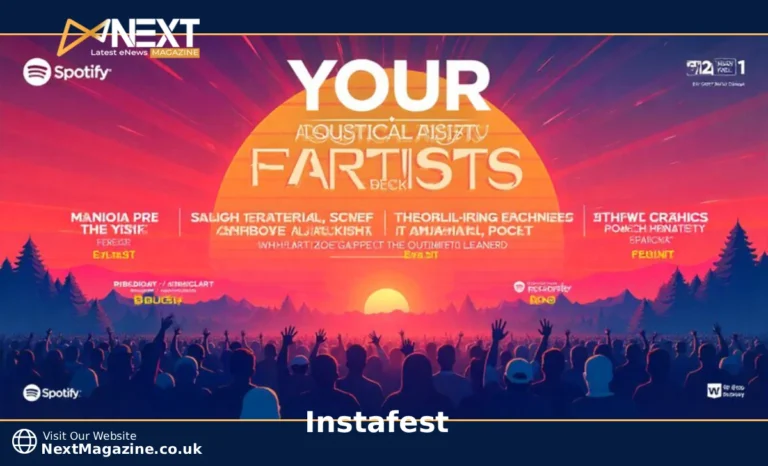
Instafest is a free web app that analyzes your Spotify listening history and generates a personalized music festival poster featuring your top artists. Created by Anshay Saboo, it displays your most-played musicians in a Coachella-style lineup format based on your chosen time period.
You’ve probably seen these colorful festival lineups flooding your social media feeds. Friends share posters that look like Coachella or Lollapalooza announcements, but instead of next summer’s headliners, they feature personal music tastes. This is Instafest, and it’s become one of the most popular ways to visualize your Spotify data.
Why Instafest Became a Viral Sensation
Anshay Saboo, a University of Southern California student, launched Instafest in 2022. The app gained traction quickly because it tapped into something people already loved: talking about their music taste. Unlike Spotify Wrapped, which only arrives once per year in December, Instafest lets you create a poster anytime.
The format matters too. Festival posters have a specific aesthetic that feels celebratory and prestigious. Seeing your favorite artists arranged like a real festival lineup validates your music choices. It’s shareable, visually appealing, and starts conversations.
By 2023, Instafest had generated millions of posters. The app spiked in popularity whenever Spotify Wrapped came around, as users looked for more ways to showcase their listening habits. Social media algorithms favored the posts because they prompted engagement and replies.
How Instafest Works With Your Spotify Data
Instafest connects to Spotify through the official API. When you authorize the app, it accesses your listening history but doesn’t store your login credentials or personal information beyond what’s needed to generate the poster.
The app analyzes which artists you’ve played most during your selected time period. It counts total plays, not just unique listens, so artists you put on repeat rank higher. The algorithm then arranges these artists into a festival-style hierarchy, with your top artist as the headliner.
Your data never leaves Spotify’s secure system permanently. Instafest requests temporary access, generates your poster, and that’s it. The creator has stated that the app doesn’t sell or share user data with third parties. You can revoke access through your Spotify account settings at any time.
You need an active Spotify account to use Instafest. The app doesn’t work with Apple Music, YouTube Music, or other streaming services because it relies specifically on Spotify’s API infrastructure.
Creating Your Instafest Poster
The process takes less than two minutes from start to finish.
Step 1: Visit the Instafest website. Search “Instafest app” or go directly to the official site. You’ll see a landing page with examples and a button to get started.
Step 2: Click “Log in with Spotify.” A new window opens asking you to authorize Instafest to access your Spotify data. Review the permissions and click “Agree” if you’re comfortable proceeding.
Step 3: Select your time range. You’ll see three options: Last 4 Weeks, Last 6 Months, or All Time. Each generates a different lineup based on that period’s listening data.
Step 4: Wait for the generation. The app processes your data and builds your poster in seconds. You’ll see artists arranged in descending order, with your top artist prominently displayed at the top.
Step 5: Download or share. Click the download button to save a high-resolution image to your device. You can also use the share button to post directly to social media or copy a link.
Time Range Options Explained
Your choice of time range dramatically changes your results.
Last 4 Weeks show your current obsessions. This option captures whatever you’ve been binging lately. If you discovered a new artist last week and played them nonstop, they’ll rank high. This range reflects your immediate mood and recent discoveries.
The last 6 Months reveal seasonal patterns. You might see summer road trip music or winter comfort listens. This timeframe balances recency with consistency. Artists who’ve stayed in rotation for months will appear here, not just flash-in-the-pan favorites.
All Time displays your core music identity. This option pulls from your entire Spotify history, which could span years. Your all-time poster shows artists who’ve defined your taste over the long haul. Discoveries won’t crack this list unless you’ve truly committed to them.
Most users find the six-month range produces the most representative results. It’s long enough to filter out one-week obsessions but recent enough to reflect your current taste.
Instafest vs Similar Music Apps
Several apps turn Spotify data into shareable content, but each takes a different approach.
| Feature | Instafest | Receiptify | Spotistats | Stats.fm |
|---|---|---|---|---|
| Format | Festival poster | Receipt-style list | Detailed statistics | Charts and graphs |
| Visual Appeal | High | Medium | Low | Medium |
| Data Depth | Basic | Basic | Extensive | Extensive |
| Time Ranges | 3 options | 3 options | Custom ranges | Custom ranges |
| Best For | Social sharing | Quick snapshot | Deep analysis | Tracking trends |
Receiptify formats your top tracks like a store receipt. It’s simple and nostalgic but less visually striking than Instafest. Both apps offer similar time ranges and work exclusively with Spotify.
Spotistats provides comprehensive analytics, including listening time, genre breakdowns, and obscurity ratings. It’s better for users who want detailed insights rather than social media content. The interface looks more like a data dashboard than a shareable poster.
Stats.fm tracks your listening habits over time and shows how your taste evolves. It offers real-time updates and historical comparisons. The app requires ongoing tracking, while Instafest generates one-time snapshots.
Choose Instafest when you want something visually impressive to share. Pick the alternatives when you need deeper data analysis or long-term tracking.
Common Issues and Solutions
Instafest not loading: Clear your browser cache and cookies, then try again. The site occasionally experiences high traffic, especially around the Spotify Wrapped season. Wait 10 minutes and refresh if you see error messages.
Artists missing from your lineup: Instafest only displays your top artists, typically around 20-40, depending on your listening patterns. If someone you listen to frequently isn’t showing up, they might not rank high enough compared to your other plays. Check a longer time range to see if they appear there.
Can’t connect Spotify account: Verify you’re using the correct Spotify login credentials. If you use Facebook or Google to log into Spotify, use that same method when authorizing Instafest. Check that your browser allows pop-ups, as the authorization window might be blocked.
Download button not working: Right-click the poster image and select “Save Image As” instead of using the download button. Some browsers block automatic downloads. You can also screenshot the poster directly from your screen.
Apple Music compatibility: Instafest doesn’t support Apple Music. The app was built specifically for Spotify’s API and has no plans to expand to other platforms. Apple Music users can try alternative apps like Snd. wave or Music Year in Review, though neither offers the exact festival poster format.
Making the Most of Your Festival Poster
Your Instafest poster works best as a conversation starter. Post it to Instagram Stories with a question asking friends to share their versions. The interactive element drives engagement better than simply posting your results.
Look for patterns in your lineup. Do certain genres dominate? Are your top artists all from one decade? These insights reveal listening habits you might not consciously recognize. You might realize you’ve been stuck in a music rut or discover you have more diverse tastes than you thought.
Use your poster for music discovery. Check out artists just below your top tier. If someone ranks 15th on your all-time list, you clearly enjoy them but might not listen as actively. Explore their recent releases or deep cuts you’ve missed.
Compare posters with friends who have similar tastes. When you find overlap, ask them about artists on their lineup that aren’t on yours. This creates a natural recommendation system based on proven compatibility. You’re more likely to enjoy suggestions from someone whose top five matches yours.
Save posters from different time periods to track how your taste evolves. Generate one every few months and compare the results. You’ll see which artists remain constants and which were temporary phases. This creates a personal music timeline that’s more detailed than Spotify Wrapped’s annual snapshot.
Your Instafest poster captures a specific moment in your music journey. Whether you share it publicly or keep it private, it’s a snapshot of what moved you during that period of your life.
